 Zed Browser
A free video download app for Android, on Google Play
Zed is a free video download app for Android built into a private browser. Open a page with a video, tap Download, and Zed saves it to your phone. No APK from an unknown website.

Free · From Google Play · Phones, tablets and Chromebooks
How to download a video on Android with Zed
- Open the page that plays the video in Zed.
- When Zed finds a video on the page, a Download button appears. Tap it.
- The video saves to Zed's Downloads, in the best quality the page offers. You can also save it to your phone's Movies or Download folder.
If a page also offers a sound-only stream, Zed shows an Audio choice so you can save just the audio. You can also pull the audio out of a video you already downloaded.
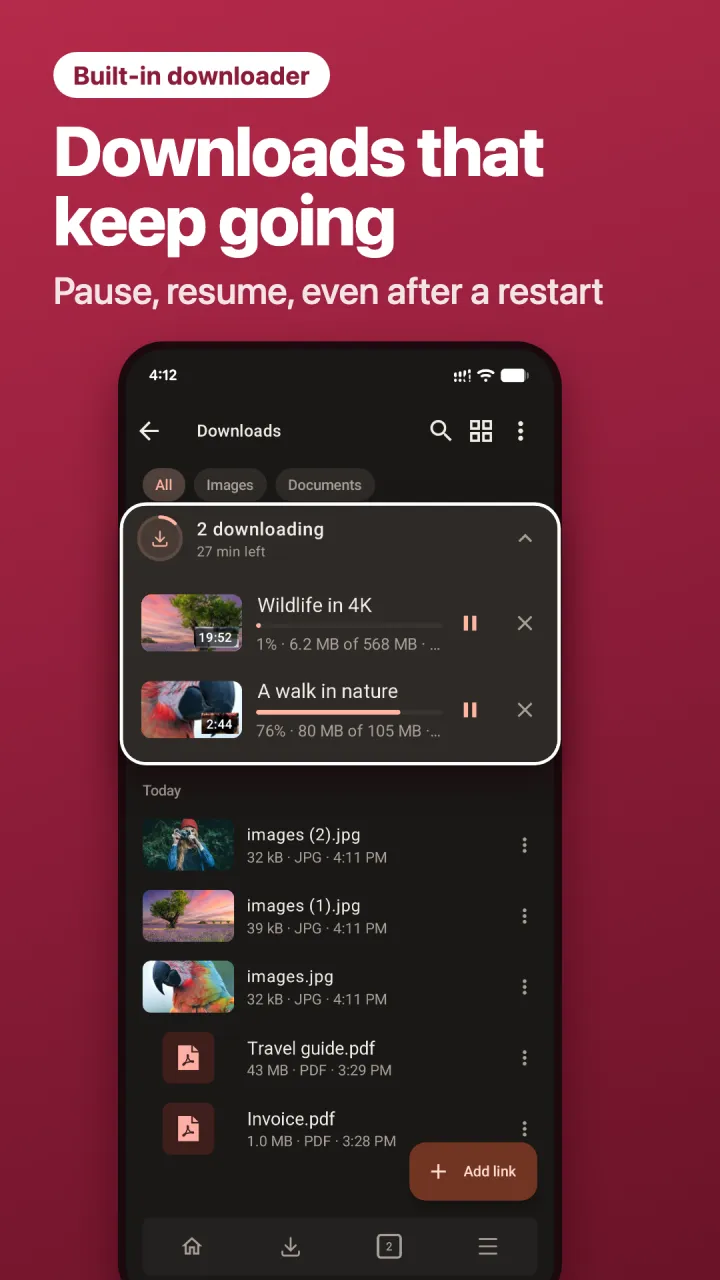
Downloads that keep going
- Pause and resume any download.
- Survives a restart: close Zed or restart your phone and the download picks up where it stopped.
- Waits for your connection: if the internet drops, the download waits and continues when you're back online.
- Continues after a link expires: if a video link expires halfway, Zed asks you to reopen the page and continues with a fresh link.
Zed downloads any file a link points to as well, such as documents and other files, not only videos.
No APK needed: a video downloader from Google Play
Many people search for a "video downloader APK" because the best-known downloaders aren't on Google Play. Installing an APK from a random website means turning on "install unknown apps" and trusting a file nobody has checked. Nobody checks those files before you install them.
Zed comes from Google Play, like any other app, and updates the same way. Is the Vidmate APK safe?
What makes a good video downloader for Android
- Where it comes from. An app from Google Play is checked and updated; an APK from a website isn't.
- Reliable downloads. Pause, resume and recovery after a restart matter more than raw speed on a phone.
- No junk. Many downloaders are full of ads and fake "download" buttons. Zed's ad blocker stops ads and pop-ups on every page.
- Privacy. Turn on No history in Zed and the pages you visited are wiped when you close it. Your downloaded files stay.
Questions
Is Zed's video downloader free?
Yes. Downloading is free, with no limit on the number of downloads.
Can Zed download from every website?
No. Zed downloads videos that a page makes available to save. It doesn't download from paid streaming services or anything protected against copying, and some sites don't allow downloads at all. Only download videos you have the right to save.
Can I watch downloaded videos in Zed?
Yes. Downloaded videos play in Zed's own player. Turn on Background playback to keep listening when you leave the app.
Where are my downloads saved?
In Zed's Downloads screen. Turn on "Save downloads to phone storage" to put them in Movies, Music or Download, where your other apps can see them.
Download videos on your Android phone
Free on Google Play. No APK, no sign-up.